Build real projects
From a first webpage to the final-year project, one step at a time.
"Make a website for my drone startup"
BharatCode is a coding app with an AI assistant built in. Students build projects, fix errors and learn faster. Your institution controls the usage and sees every rupee it costs.
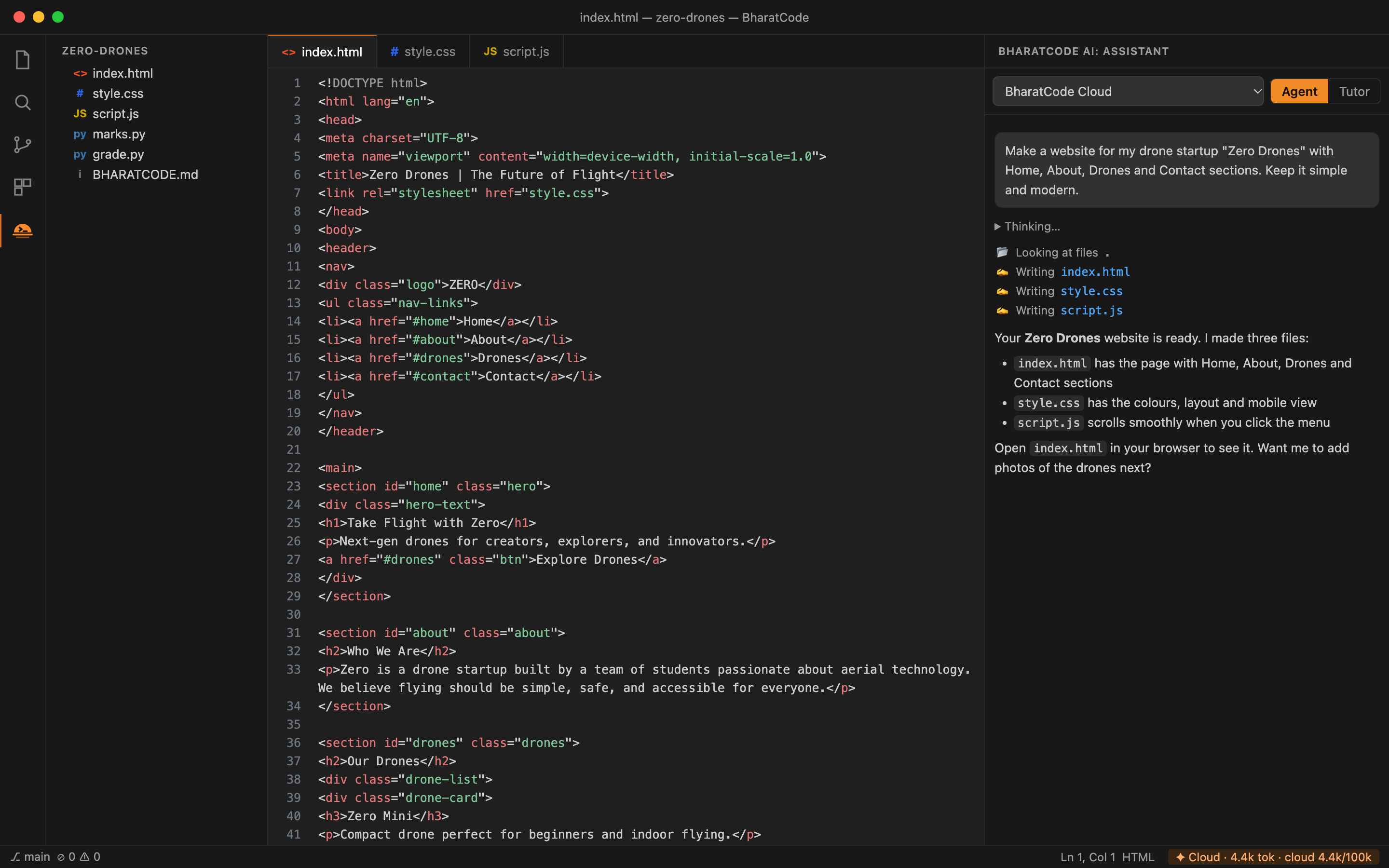
Students ask in plain English or Hinglish. The assistant reads their files, writes the code, runs it and explains what it did.
From a first webpage to the final-year project, one step at a time.
"Make a website for my drone startup"
Click the lightbulb on any red error. The assistant finds the cause and fixes it.
"marks.py crashes when I enter marks"
Select code and get a simple, line-by-line explanation.
"Explain this loop like I'm in first year"
Tutor mode gives clues instead of answers, so students still do the thinking.
"Just give me a hint, not the answer"
Every change is shown first and every command waits for Allow.
Allow · Always allow · Don't allow
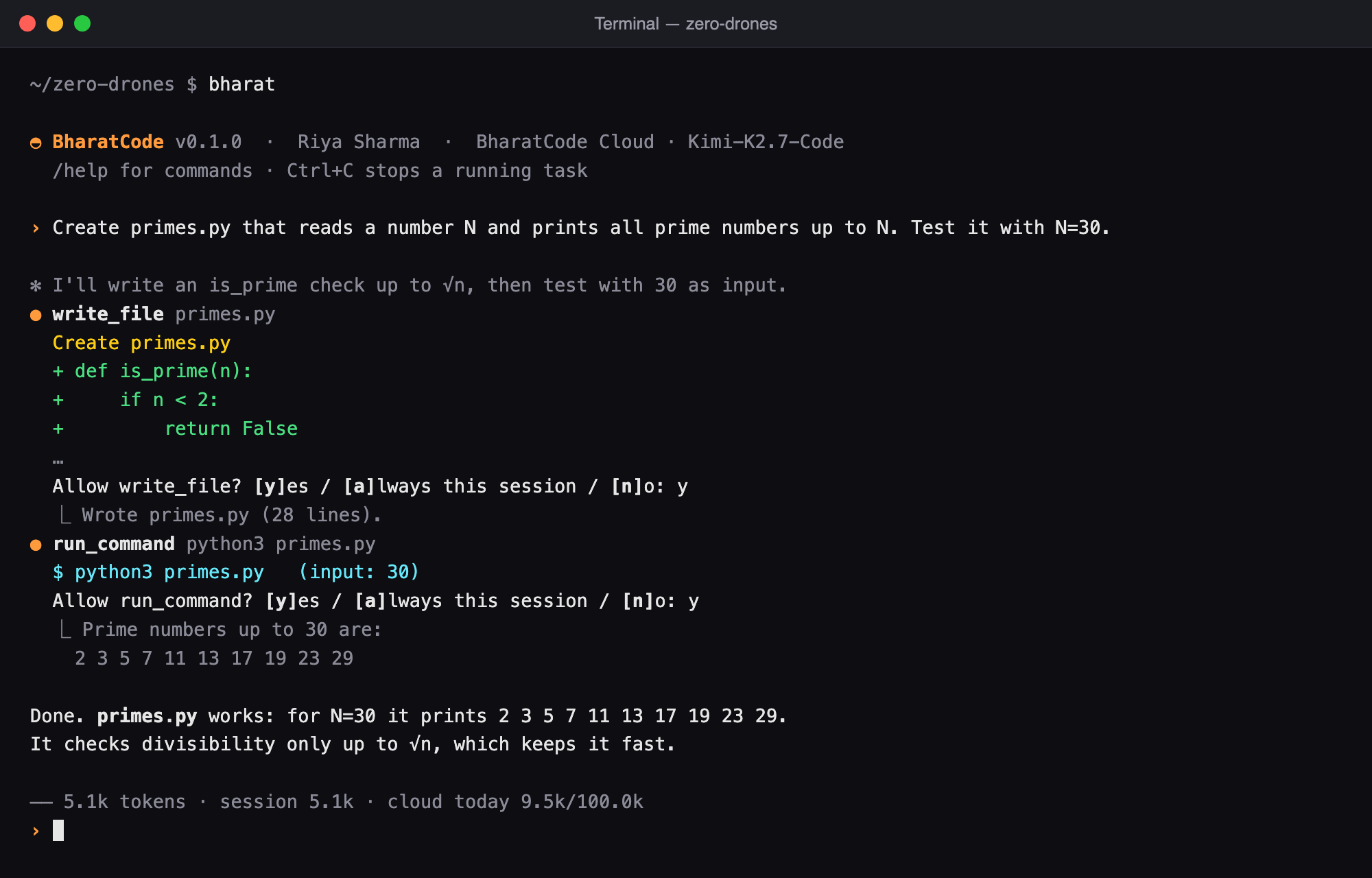
Type bharat in the terminal and work the way professional engineers do.
$ bharat
Switch between Agent mode and Tutor mode with one click. Teachers can decide which one a class uses.
Describe what you want. The assistant creates the files, writes the code, runs it and fixes what breaks.
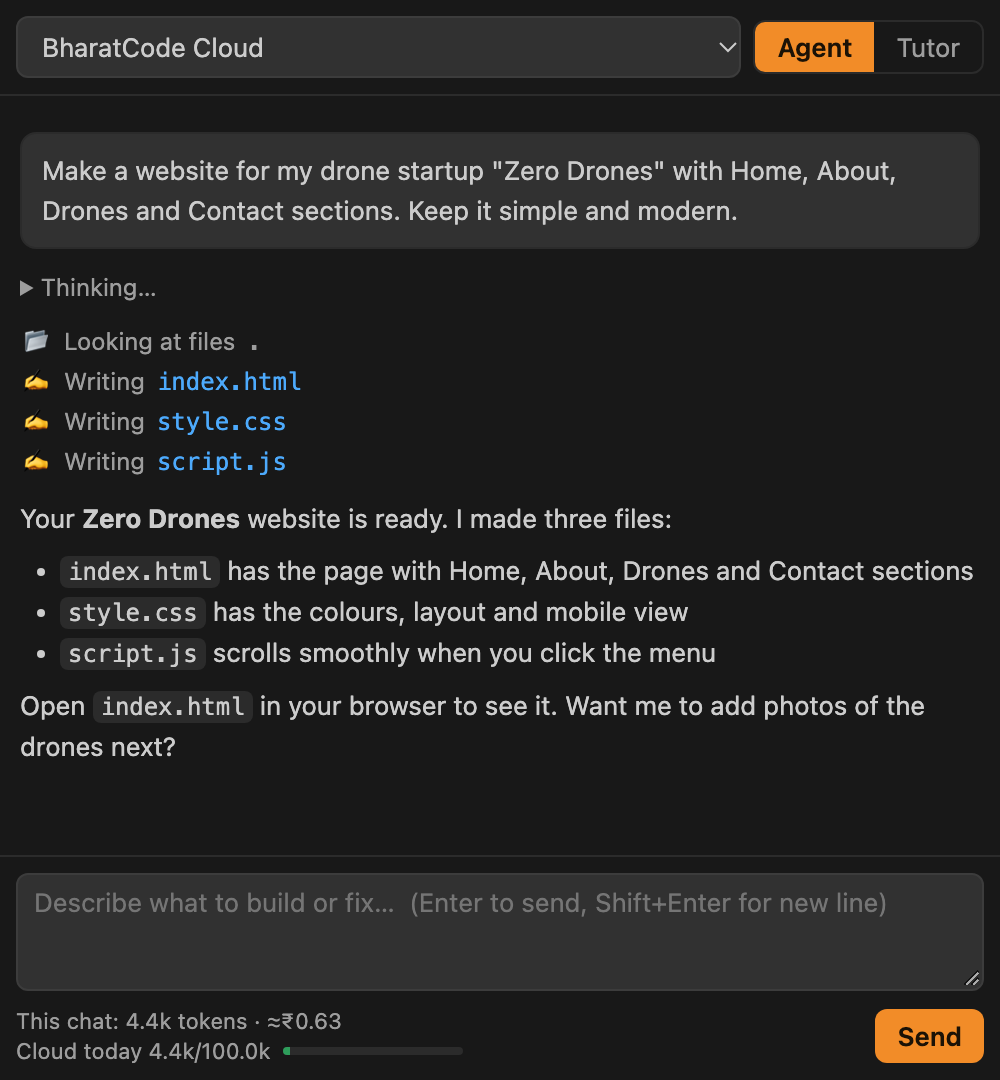
The assistant cannot touch the student's files. It reads the code, finds the problem and gives a hint.
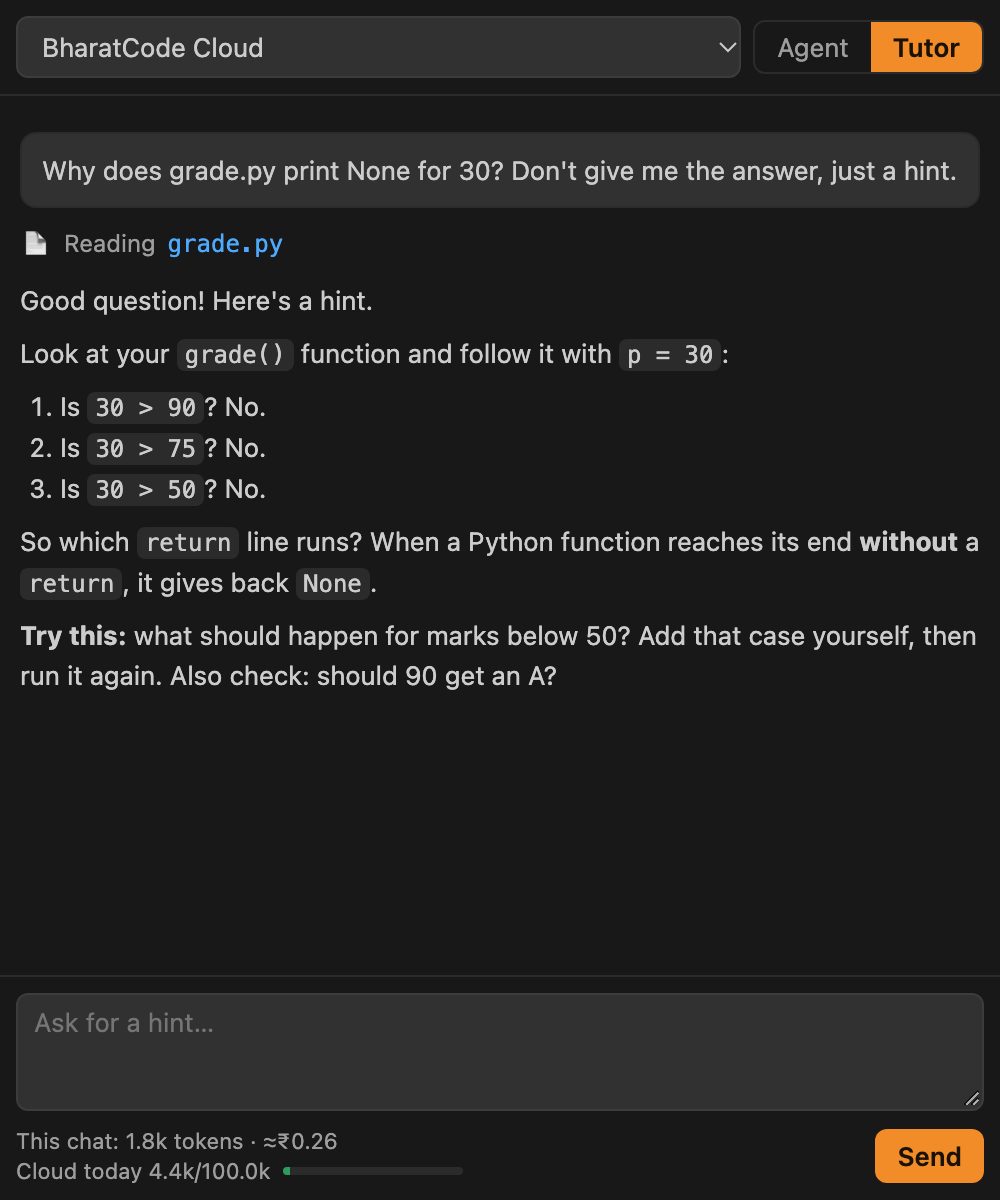
Students see what the AI wants to do before it happens. They learn what the AI does instead of watching code appear.
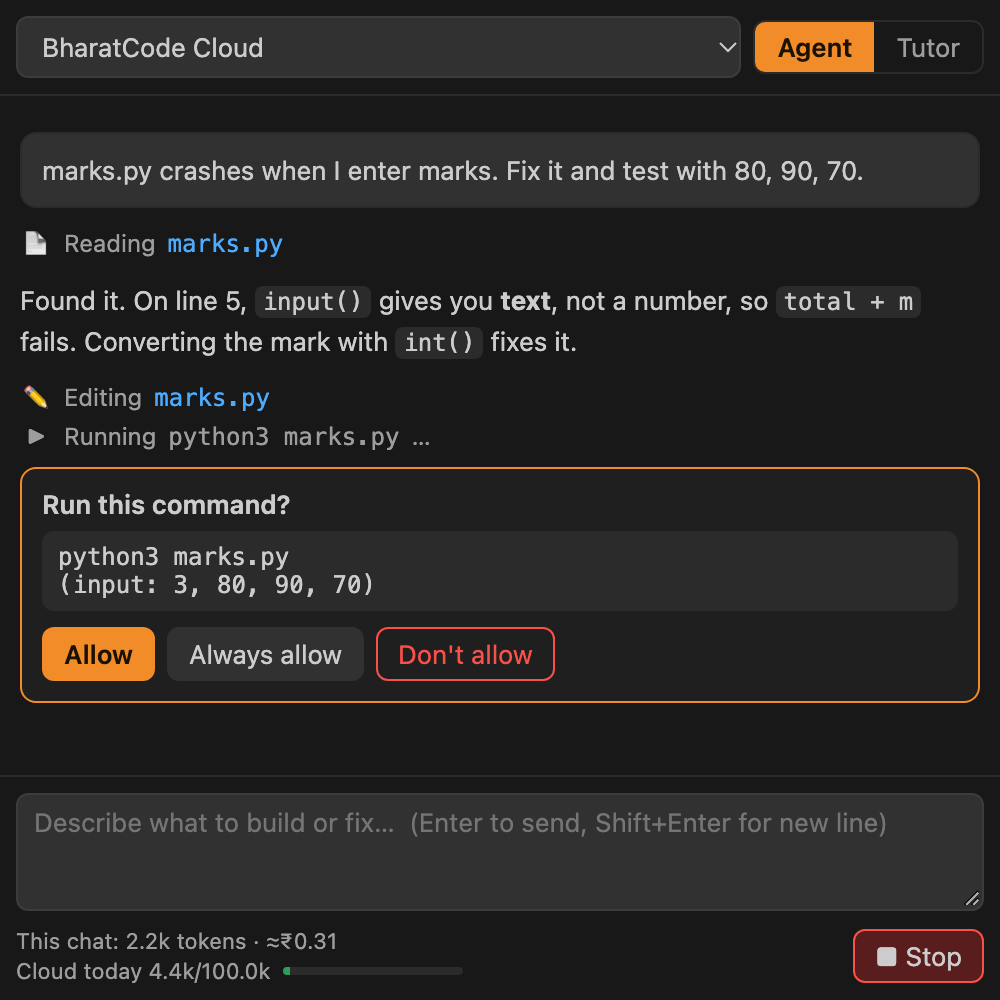
For advanced students who want to work the way modern engineering teams use AI. Nothing extra to install.
Every student signs in with their own account. Teachers and the IT team get one dashboard for the whole campus.
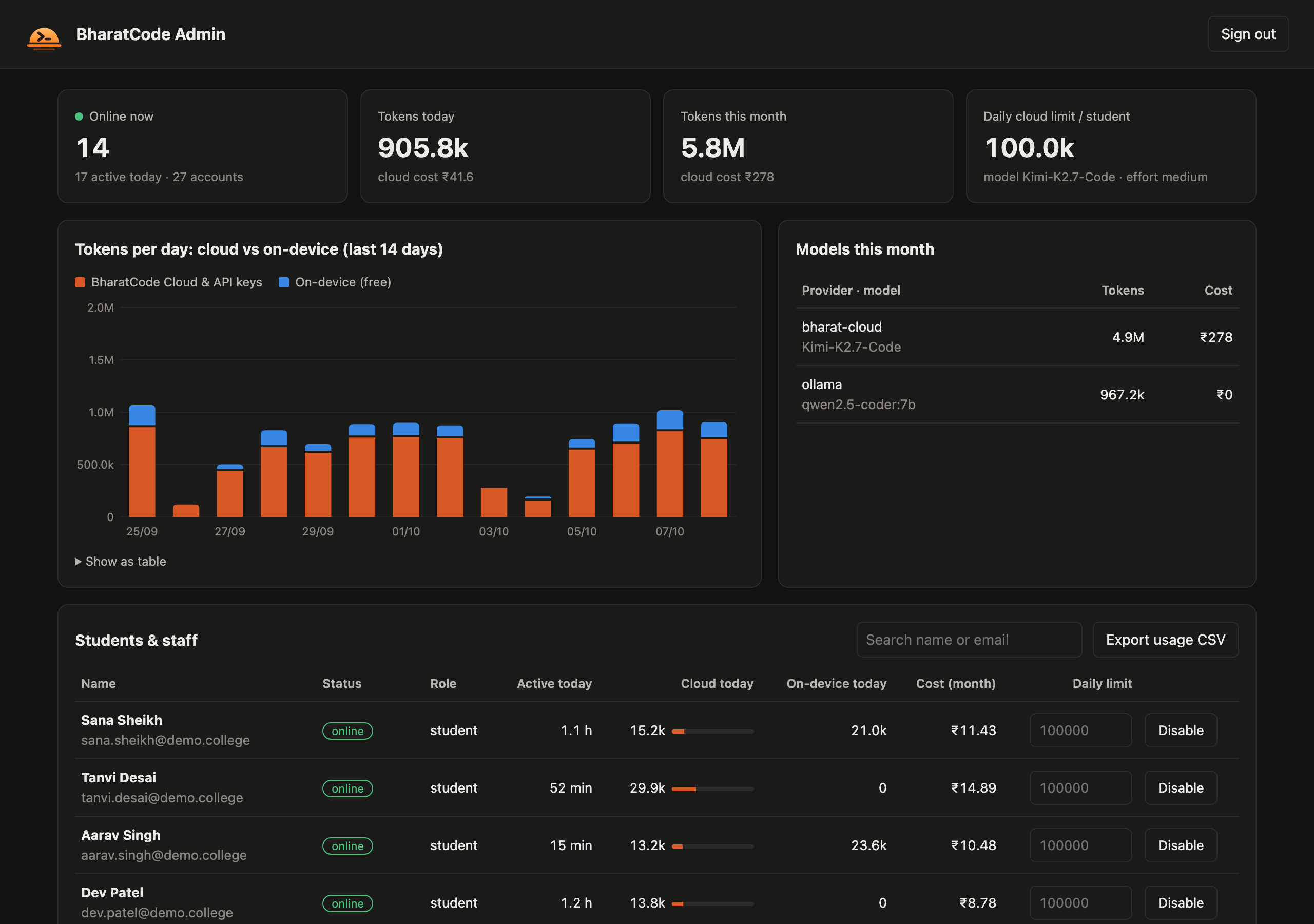
Admin dashboard with sample data for a class of 25 students
Who is online now, and how long each student coded today.
Daily and monthly AI cost for every student and for the campus.
Daily token limits, model choice, account disable and CSV export.
Our servers record sign-ins, session time and token counts. They never collect students' code, files or questions. Your AI keys stay on the server and are never shown to students.
The fastest start. Students install the app and sign in. We host sign-in, the dashboard and the AI connection.
Best for: starting this semester
The AI model and the dashboard run on servers inside your campus. Nothing leaves your network.
Best for: strict data rules
A coding model runs on each lab computer. Fast replies, even when the campus internet is slow.
Best for: computer labs, remote campuses
Simple plans for every kind of campus.
Try BharatCode with a class or a lab.
For departments using AI coding every day.
AI and dashboard on your campus servers.
A coding model on every lab computer.
Prices in US dollars, before taxes. Tokens are the small pieces of text the AI reads and writes; a typical coding session uses 20,000 to 40,000. Ask us about volume pricing for universities and government institutions.
We create your admin account, choose the AI model with you and set a daily limit per student.
They install BharatCode on Mac or Windows and sign in with an invite code from their teacher.
Students code with the assistant. Teachers watch usage and progress on the dashboard.
Everything colleges usually ask us
Teachers choose. Tutor mode only gives hints and cannot edit files. Agent mode can write code, but it explains each change and asks before every action, so students see how the work is done.
No. With cloud AI, any laptop that runs VS Code works. On-device AI picks a model that fits the computer: 8 GB laptops get a small coding model, 16 GB and above get larger ones.
Yes, students must be online to stay signed in. That is how your institution tracks sessions and usage. With on-device or on-premise AI, the AI itself runs on the laptop or on your campus servers.
All the common ones taught in colleges and schools, including Python, C, C++, Java, JavaScript, HTML and CSS. It's built on VS Code, so students can add extensions for other languages too.
Our servers store only accounts, session times and token counts. They never collect students' code, files or questions. With the on-premise option, everything stays inside your campus.
Yes. Set a daily token limit for all students or for one student, and see each student's cost in rupees. When a student reaches the limit, they can keep working with free on-device AI.
Can't find your answer? Talk to our team.
Book a 30-minute demo. We'll show the app, Tutor mode and the dashboard, and suggest the right plan.
Or email sanjeev@neobound.ai